 Subscribe by RSS
Click of death
Click of death is a term that became common in the late 1990s referring to the clicking sound in disk storage systems that signals the device has failed, often catastrophically. The term is also used specifically to refer to the failure of portable Iomega Zip drives or cartridges. The “click of death” can also be an informal warning system before the data on a data drive is lost.
On a hard disk system, the click of death refers to a similar phenomenon, generally a read/write error during a seek function. If the hard disk has a hard error (hardware failure that cannot be undone by rebooting) or servo mechanism failure, the head actuator will buzz and click as the drive tries to recalibrate. In most cases, the defect is due to physical abuse or a manufacturing error. The cause of the read/write errors is often due to the failure of the read/write heads’ preamplifier, a small chip usually found soldered to the flexible cable on the actuator of modern hard drives. IBM’s storage division had their own click of death problems in 2001 with the mass failure of their popular Deskstar, dubbed “Deathstar”, 75GXP hard disks. Note that not all clicking sounds indicate a defective hard drive, but may be caused by a not fully inserted or damaged signal cable. Rarely, noise can be generated by power supply cables or other components close to the signal cable.
A head crash is a specific type of hard disk failure, and occurs when the read-write head of a hard disk drive touches its rotating platter resulting in catastrophic damage to the magnetic media on the platter surface (see Hard disk platter).
The head normally rides on a thin film of moving air entrapped at the surface of the platter (some drives of the mid-1990s used a thin liquid layer instead)[citation needed]. The topmost layer of the platter is made of a Teflon-like material that acts like a lubricant. Underneath is a layer of sputtered carbon. These two layers protect the magnetic layer (data storage area) from most accidental touches of the read-write head.
A head crash can be initiated by a tiny particle of dirt or other detritus which can cause
the head to bounce against the disk, destroying the thin magnetic coating on the disk. The disk read-and-write head is made using thin film techniques that include materials hard enough to scratch through the protective layers. A head crash may also occur when a hard disk equipped device is accidentally dropped. Modern hard disks incorporate free fall sensors to offer protection against this.
Since most modern drives spin at rates between 5,400 and 15,000 RPM, the damage caused to the magnetic coating can be extensive. At 7,200 RPM the edge of the platter is traveling at over 74 miles per hour (120 km/h), as the crashed head drags over the platter surface the read-write head generally overheats, making the drive or at least parts of it unusable until the heads cool. Following a head crash, particles of material scraped free of the drive surface greatly increase the chances of further head crashes or damage to the platters.
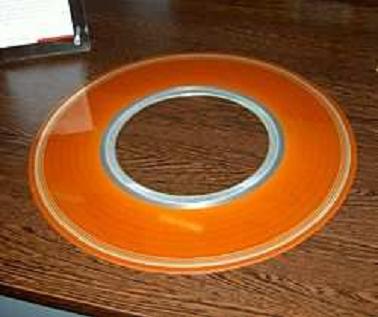
Older drives typically rotated far more slowly and had larger heads flying higher above the surface of the medium. However since in many cases the medium was housed in a removable cartridge or pack and since air filtration was comparatively crude crashes were fairly frequent and invariably expensive.
DOCUMENTATION VIEWING THE RESULTS OF A HEAD CRASH
Last week we had a hard drive crash on an IBM Death Star which was in one of the Virgo servers. I had not had a chance to migrate that machine yet to TSM at the time of the crash, and was asked to see if we could determine the cause of the crash, as well as to determine if it would be possible to recover any of the data on the drive.
Yesterday, on April 21st 2003, we finally had the opportunity to open up the drive and
determine the extent of the failure. This is a documentary of what we found.
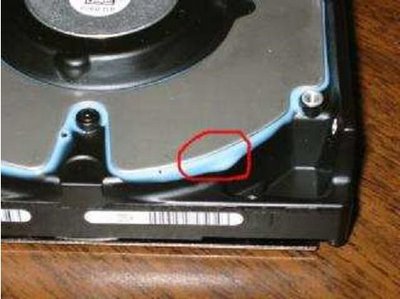
The first thing I noticed was that a blue ooze had seeped out of the bottom of the drive. At this point I was concerned that some of the goo had possibly oozed into the drive housing and onto the platters.
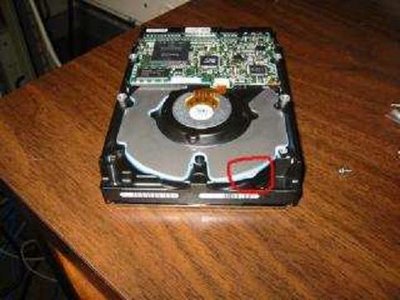
Here is a close-up shot of the drive with the blue goo.
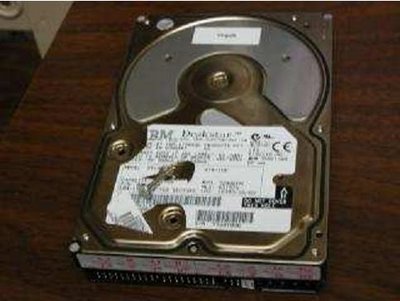 The first step was to remove the screws on the drive lid. I suspect this voided the warranty, but we were on a mission. I had to visit a few different people before I finally found a set of torx
screwdrivers in size 8. (note to self: purchase a torx 8 screwdriver from sears).
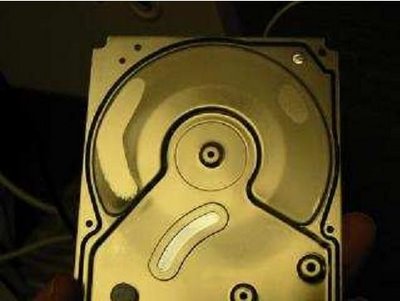
The lid came right off. The first thing we noticed was that there was a large amount of magnetic dust stuck on the lid of the drive. I wiped my finger in one place just to verify that this was not a part of the original manufacture process.
I wondered where all of that dust came from, and then I saw the platters. That’s odd, I’ve never seen see through platters before.
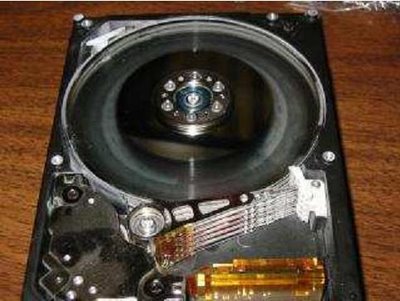
After popping out the first platter I realized that I was correct. The drive platter was now see through. It appears that the head crash scrubbed the drive so clean that the magnetic substrate has been wiped clean off the platters.
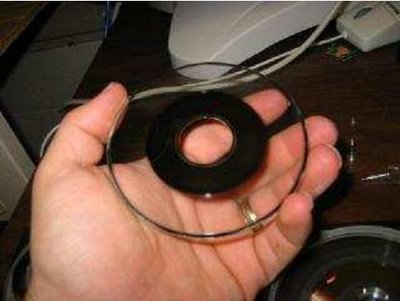
After removing all of the platters from the unit, I noticed that there sure was a large amount of dust inside of the drive housing.
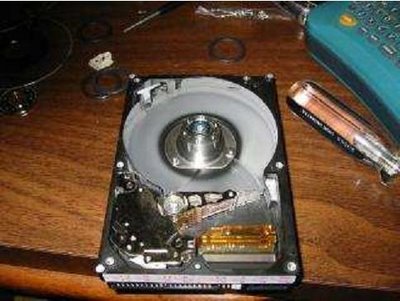
Here’s another close-up of the inside of the drive housing. I had wiped my finger on the inside of the housing before shooting this picture.
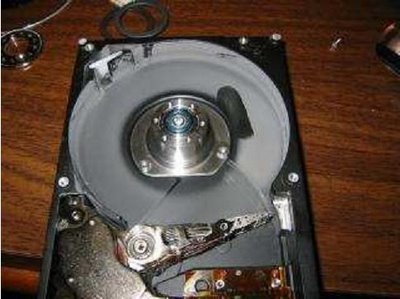
The damage wasn’t limited to just one or two platters. All five of the platters received some level of surface wiping.
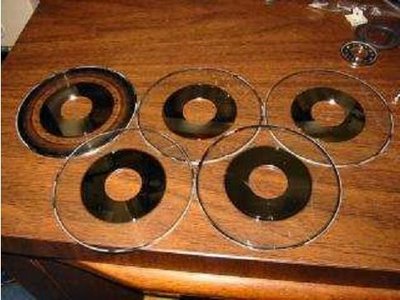
Well, that’s it for the report. I’ve never seen a drive fail in this way, and every person I’ve showed the platters to have been equally perplexed.
World’s Top Data Recovery Hardware Tools
Easy to use at good price
Recover SATA, IDE, External HDDs, NVME SSDs, etc Order Now here
POTABLE DEVICE & NVME SSD RECOVERY TOOL
Recover USB Device and NVME SSDs at high speed! Read Details here.
DFL-PCIE DATA RECOVERY RECHARGE
Best data recovery hardware tool to start a data recovery business, read details here
RECOVER SCRATCHED HDDS

Recover lost data from scratched hard drives, read details here.
SURFACE PRO. RECOVERY


BEST HEAD REPLACEMENT TOOLS
The most cost-effective head replacement tools for Seagate, WD, Samsung, Hitachi, Toshiba, Fujitsu