 Subscribe by RSS
S.M.A.R.T for hard drives
S.M.A.R.T. technology was developed by a number of major hard disk drive manufacturers to increase the reliability of hard drives.
Majority of all hard disk today support a technology known as S.M.A.R.T. (Self-Monitoring, Analysis, and Reporting Technology) which helps to predict imminent disk failures so that users can be alerted to take preventive actions before the disk fails completely.
The most basic information that SMART provides is the SMART status. It provides only two values: “threshold not exceeded” and “threshold exceeded”. Often these are represented as “drive OK” or “drive fail” respectively. A “threshold exceeded” value is intended to indicate that there is a relatively high probability that the drive will not be able to honour its specification in the future – that is, the drive is “about to fail”. The predicted failure may be catastrophic or may be something as subtle as the inability to write to certain sectors, or perhaps slower performance than the manufacturer’s declared minimum.
The SMART status does not necessarily indicate the drive’s past or present reliability. If a drive has already failed catastrophically, the SMART status may be inaccessible. Alternatively, if a drive has experienced problems in the past, but the sensors no longer detect such problems, the SMART status may, depending on the manufacturer’s programming, suggest that the drive is now sound.
Generally, there are two classes of failures, namely Non-Predictable failures and Predictable failure. Non-predictable failure associates with abrupt and unpredictable damages such as a sudden power surge that burns an electronic component. On the other hand, Predictable failure monitors mechanical wear and aging which takes place over time. In a nutshell, S.M.A.R.T functions like a monitoring device that reads and analyses the performance of a disk. If a gradual defection is observed (which can lead to a likely disk failure), a message will notify you to backup your data and and replace your disk.
S.M.A.R.T. monitors a number of factors that relate to predictable drive failures. There are also unpredictable drive failures, but those we can’t really do much about. Predictable failures occur as a result of bearing failure, cracked or broken read/write head, electronics module failure, changes in spin-up rate, etc. There are also factors related to the failure of the read/write surface, such as seek error rate, excessive bad sectors, and reallocated sector count. Most of these are factors that can be monitored. Then, when a threshold level is exceeded, a failure warning is transmitted. That’s where the problem arises. Although the drives are capable of passing these warnings on to Windows, most computers don’t have any software available to receive the warning and pass it on to the user! There is no response built into Windows to handle these warnings.
Some drive failures that occur because of changes to the drive surface may not be monitored by S.M.A.R.T. These surface changes can be detected by programs such as Chkdsk or ScanDisk. Therefore, you need to keep using Chkdsk or ScanDisk as part of your normal drive maintenance.
Another item of interest is that S.M.A.R.T. must be enabled in the BIOS on most computers. It may or may not be enabled on your computer. In computers with a recent AMI BIOS, the advanced setup has a S.M.A.R.T. entry that can be enabled or disabled. This is probably true for other BIOSes as well. For most current drives, this entry should be set to “enabled”.
How can you tell if your drive is S.M.A.R.T. capable? When your system boots, if you can see the memory check and the hard drive identification, you can also see an entry that says SMART capable. It will indicate whether it is disabled or enabled. However, most major brand computers (IBM, Compaq, Dell, Gateway, etc.) display a logo during boot-up. You never see any of the boot information. Because of this, you would never see any S.M.A.R.T. status or failure message. In this case all you can do is to get into the BIOS or “Setup” and see if you can find an entry for S.M.A.R.T. status and ensure that it is enabled.
SMART ID Codes:
1: Read error rate;
2: Through put performance
3: Spin up time
4: Number of times the spindle motor is activated
5: Redistribution of the number of sectors
7: Seek error rate
8: Seek time performance
9: Power-on time count
10: Number of re-activation of the spindle motor
12: Number of power-on-power-off times
199: Ultra ATACRC error rate Ultra
200: write error rate
Data recovery Salon welcomes your comments and share with us your ideas, suggestions and experience. Data recovery salon is dedicated in sharing the most useful data recovery information with our users and only if you are good at data recovery or related knowledge, please kindly drop us an email and we will publish your article here. We need to make data recovery Salon to be the most professional and free data recovery E-book online.
World’s Top Data Recovery Hardware Tools
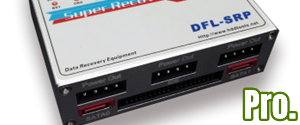
Easy to use at good price
Recover SATA, IDE, External HDDs, NVME SSDs, etc Order Now here
POTABLE DEVICE & NVME SSD RECOVERY TOOL
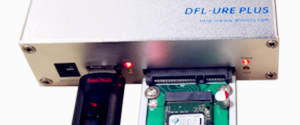
Recover USB Device and NVME SSDs at high speed! Read Details here.
DFL-PCIE DATA RECOVERY RECHARGE
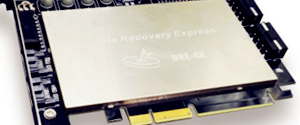
Best data recovery hardware tool to start a data recovery business, read details here
RECOVER SCRATCHED HDDS

Recover lost data from scratched hard drives, read details here.
SURFACE PRO. RECOVERY
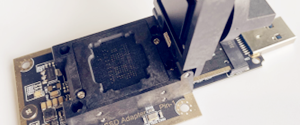
BEST HEAD REPLACEMENT TOOLS
The most cost-effective head replacement tools for Seagate, WD, Samsung, Hitachi, Toshiba, Fujitsu