
Hard disks are very delicate and sensitive instruments. While certainly it is true that newer (and especially smaller) drives are less fragile than their older counterparts, it is also true that all hard disk drives have to be properly handled to avoid damage. In most cases, handling of drives is something that happens very little anyway: you get the drive, you install it and you leave it there. So for most people handling isn’t too much of an issue. For those that handle drives a great deal however, proper handling technique is essential.
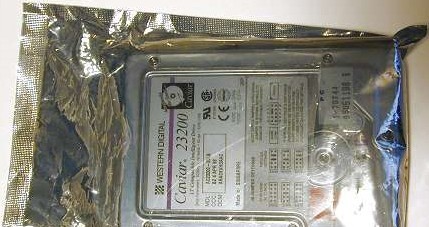
The first thing you will notice when you deal with hard disks (and most other computer components) is that they are always transported in an anti-static bag. This is of course to prevent the damage that can occur to the hard disk’s circuits as a result of electrostatic discharge or ESD.
Seagate has actually come up with a neat improvement on the standard anti-static bag (which has been around for years and years). They call it the SeaShell and instead of being a thin plastic bag, it’s a solid plastic clam-shell case that not only provides ESD protection for the drive, but physically protects it against shock as well. Instead of being a smoky gray, the SeaShell is clear plastic, so you can examine the drive without having to open up the package. And these little cases are also both recyclable and easily reusable. I hope other hard drive makers start using similar devices.
Be sure to ground yourself to a metal object before removing a hard disk from its ESD protection. Handle the drive as little as possible, and avoid bumping or jarring it if at all possible. The safest thing to do is to simply get it installed as quickly as possible. Since the logic board on internal drives is exposed, make sure none of its components contact anything metallic that could cause a short or a static discharge.
When shipping a hard disk drive, it is essential that you properly package it. Slapping the unit in a box with loose foam “peanuts” will not cut it for a hard disk drive. The drive should be properly supported on all sides with solid foam or other similar padding, and fitted properly in a box of the correct dimensions. Hard drive makers use boxes with special inserts specifically designed for shipping drives; if possible, it is best to use these boxes and inserts. When performing warranty exchanges, hard drive manufacturers will commonly send the replacement drive in one of these packages, and ask you to return the defective drive to them in the same box. This is the best way to ship a drive back to a manufacturer for exchange or repair.
Note: Some companies may dispute your warranty claim for service or replacement if you ship them a drive that has been grossly under-packaged.
Data recovery Salon welcomes your comments and share with us your ideas, suggestions and experience. Data recovery salon is dedicated in sharing the most useful data recovery information with our users and only if you are good at data recovery or related knowledge, please kindly drop us an email and we will publish your article here. We need to make data recovery Salon to be the most professional and free data recovery E-book online.